iOS Developer Toolkit
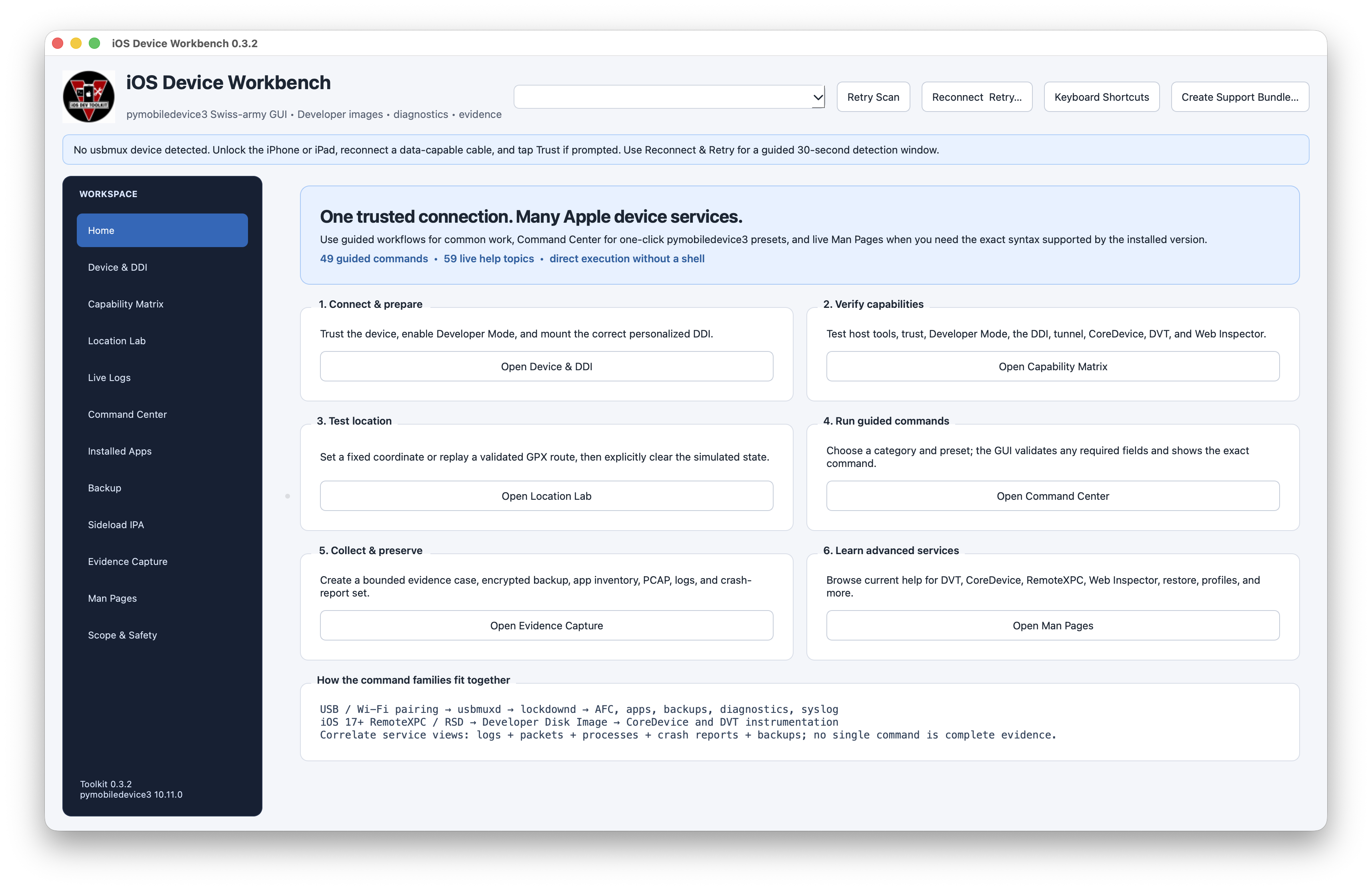
One guided macOS workbench for Apple-device services
iOS Developer Toolkit makes authorized iPhone and iPad development, diagnostics, backup, logging, package inspection, and evidence-preservation workflows visible without hiding their prerequisites or interpretation limits.
Choose your path
First-time operator
Connect one unlocked device, establish trust, and use the one-click Capability Matrix before choosing a workflow.
iOS developer
Understand the Lockdown, RemoteXPC, DDI, CoreDevice, and DVT layers, then use guided presets or native Xcode handoffs.
Investigator
Preserve raw logs and bounded collection results, review coverage gaps, and separate tool output from analyst conclusions.
Contributor or verifier
Use the public tests, dual-architecture packaging checks, SBOMs, checksums, and GitHub attestations.
Current product map
The application contains 13 workspaces spanning connection and DDI readiness, location testing, live logs, guided commands, app inventory, backup providers, IPA inspection, evidence capture, optional ecosystem tools, installed-command help, and visible scope boundaries. Local workspace profiles can move reviewed control defaults between team members without carrying targets, paths, credentials, coordinates, case text, parameters, or output.
The canonical README remains the complete feature reference and screenshot walkthrough. This site separates the most common audience paths so setup, architecture, safety, troubleshooting, release verification, and contribution material are easier to find without maintaining a second copy of every command.
Independent community project
This project is not affiliated with or endorsed by Apple, the pymobiledevice3 maintainers, or the maintainers of optional external tools.